


Your server starts with a shared key provided by HelloServ, which Cfx.re may throttle. Create your own for free on portal.cfx.re (formerly Keymaster), tied to your server's IP address, then paste it into GamePanelServer OptionsFiveM license key.
Cfx.re account: go to portal.cfx.re and log in. If you don't have an account, click Sign Up: it's the same account as the Cfx.re forum.
In the portal, open Server Keys (direct address: portal.cfx.re/servers/registration-keys) and create a new key.
Fill in the form. Name: anything (your server's name). IP address: the one shown on the service page in the client area, without the port (for example
203.0.113.10, not203.0.113.10:30120). Server type: choose a server hosted with a provider (VPS or dedicated), not a home server.Copy the generated key. In GamePanel, your server, Server Options: paste it into "FiveM license key", replacing the existing value.
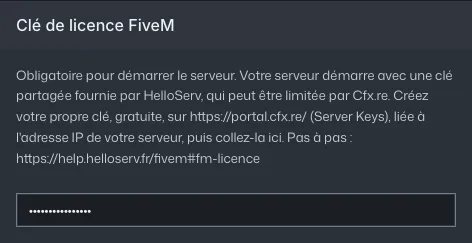
Server Options: the FiveM license key field (key hidden) Restart the server, then check the console: no license error should appear.
Common errors
- License error or server rejected by Cfx.re: the key is tied to another IP (previous host, IP entered with the port, typo). Create a new key with the exact IP from the service page.
- The key worked and then the server stops starting: it was deleted or regenerated in the portal. Check it's still listed under Server Keys, otherwise create one and paste it again.
- The server doesn't start at all: check the key is pasted in full, with no space before or after. If your
server.cfgalso has ansv_licenseKeyline, put the same key there or remove the line. - Never share your key, not in a public ticket or on Discord: it's tied to your server.