


Create the database in GamePanel (Databases), then paste its credentials into server.cfg on a set mysql_connection_string line.
Before you start
The oxmysql resource (or mysql-async for older scripts) in resources. The ESX and QBCore frameworks include it.
GamePanelManagementDatabasesCreate: choose a host, give it a name (e.g.
fivem), leave%in "Connections From", then "Submit".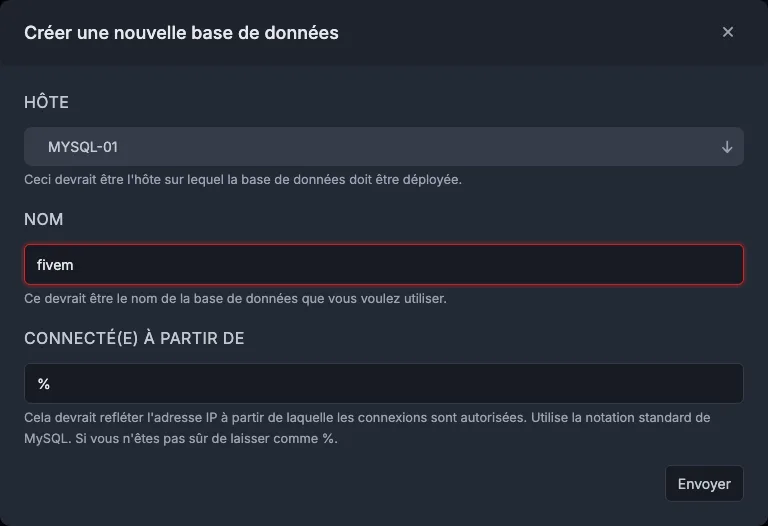
Creating the database in GamePanel In the list, note the database name, the username, the password (click it to reveal it) and the "Connection" column: the address before
:is the host, the number after is the port.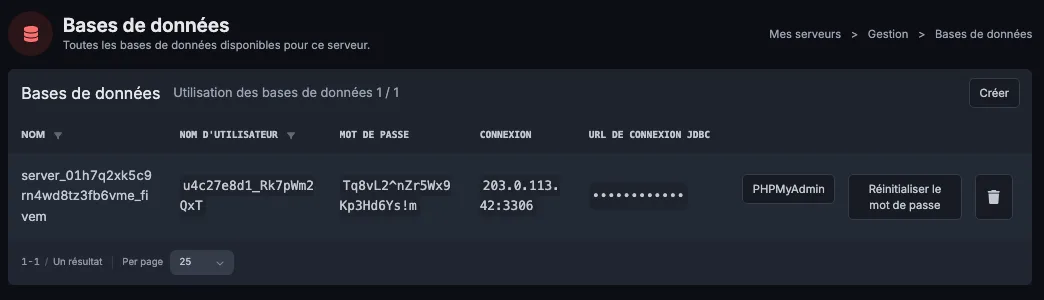
The created database, with its credentials File Manager,
server.cfg: add the following line with your values, placingensure oxmysqlbefore the resources that use the database:set mysql_connection_string "host=HOST;port=PORT;user=USER;password=PASSWORD;database=DATABASE_NAME". If the connection fails even though the credentials are correct (an old password set by hand, containing a=or a;), use the same line inmysql://format instead:set mysql_connection_string "mysql://USER:PASSWORD@HOST:PORT/DATABASE_NAME"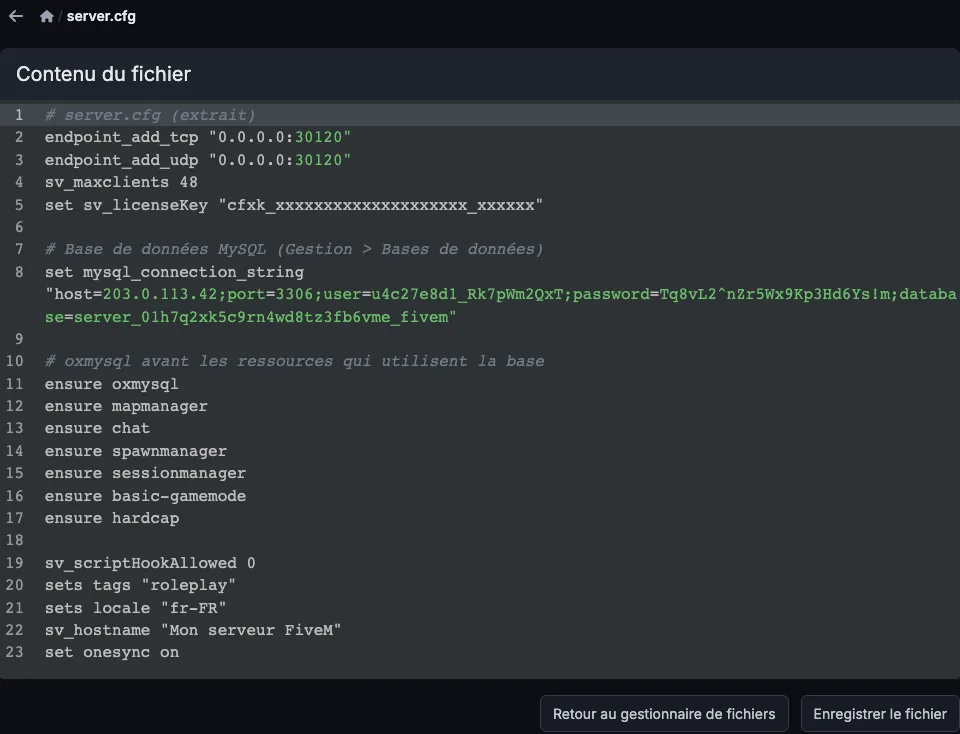
The connection line in server.cfg With
mysql-async, the line readsserver=HOST;port=PORT;userid=USER;password=PASSWORD;database=DATABASE_NAME.Restart and check the console: oxmysql reports the connection is established, otherwise it shows the error (see the common errors below).

The console: oxmysql connected to the database To import the
.sqlfile that came with a script or framework: the database's "PHPMyAdmin" button, Import tab.
Common errors
Access denied: username or password mistyped, or a=or;in an old password (use themysql://format from step 3). If in doubt, "Reset Password" and paste it again.localhostor127.0.0.1as the host: doesn't work, the database is on a different machine. Use the host from the Connection column.- Game server port instead of the database port: use the one from the Connection column.
mysql://…format: an@,:,/,?or#in the password breaks the line: reset the password and go back to the first format.oxmysqlnot found or MySQL not ready errors:ensure oxmysqlis missing or placed after your scripts.- Can't create another one: the number of databases depends on your plan, the Usage counter on the tab shows it.