


Yes for the world: copy the save folder into Pal/Saved/SaveGames/0/, then point the server to its name. The original host's character doesn't carry over automatically.
Before you start
The save on your Steam PC, in %LOCALAPPDATA%\Pal\Saved\SaveGames\<your Steam id>\.
Start the server once, then stop it.
Upload the save folder (its name is a long string of letters and numbers) into
Pal/Saved/SaveGames/0/, over SFTP.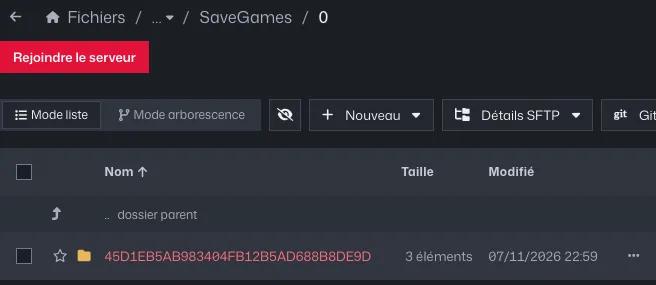
The Pal/Saved/SaveGames/0 folder with a world folder Open
Pal/Saved/Config/LinuxServer/GameUserSettings.iniand put this name afterDedicatedServerName=.Start the server: bases, Pals and guest players carry over.
Common errors
- The co-op game's host starts from scratch: their character is tied to the local game. Community tools fix this, but it isn't covered by our support.
- Xbox and Game Pass saves aren't in this format: they don't copy over as is.
- Keep a copy of the save before importing.