

You install Fabric yourself from the GamePanel: Minecraft Version menu, Fabric edition. Mods then go in the mods folder, and each player needs Fabric and the same mods on their side.
Download your files, or create a backup if you have the paid Backups option (Management, Backups): worth doing as a precaution, even though the install keeps your files as long as "Delete all server files first" stays off.
Minecraft Version menu: Fabric edition, your Minecraft version, then Install.
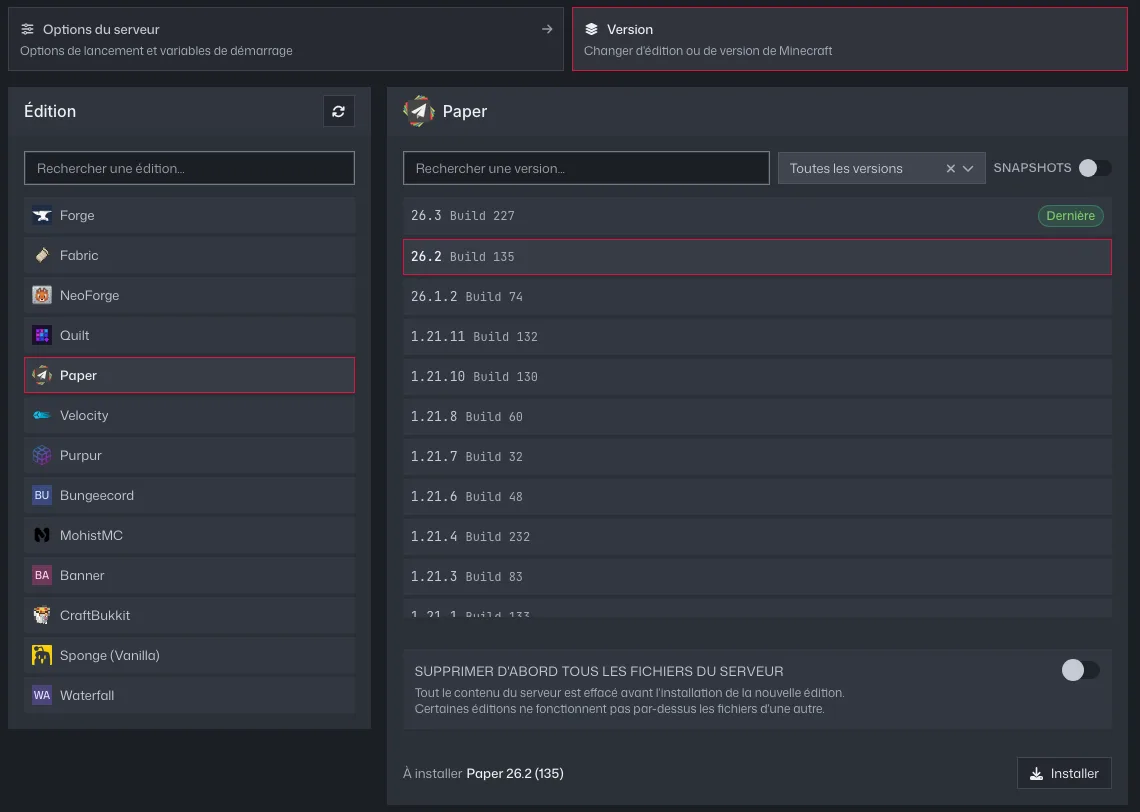
The GamePanel's Version tab: edition on the left, version on the right, Install button Start the server once, then stop it: the
modsfolder is created.Add your mods in one click with the Plugin Manager (including Fabric API if your mods need it), or upload their files into
mods, then restart.