

GamePanelMinecraft Version (the Version tab of Server Options): pick the edition on the left (Vanilla, Paper, Fabric…), the version on the right, then Install. Your files and world are kept, unless you turn on "Delete all server files first": back up your world first regardless.
Download the world folder (
world) through the File Manager or via SFTP; with the paid Backups option, also create a backup (GamePanelManagementBackups).GamePanelMinecraft Version: the edition in the left list (scroll down for Spigot or Vanilla), then the version on the right. Leave "Delete all server files first" off to keep your files, click Install and confirm. The server stops, and the install shows up in the console.
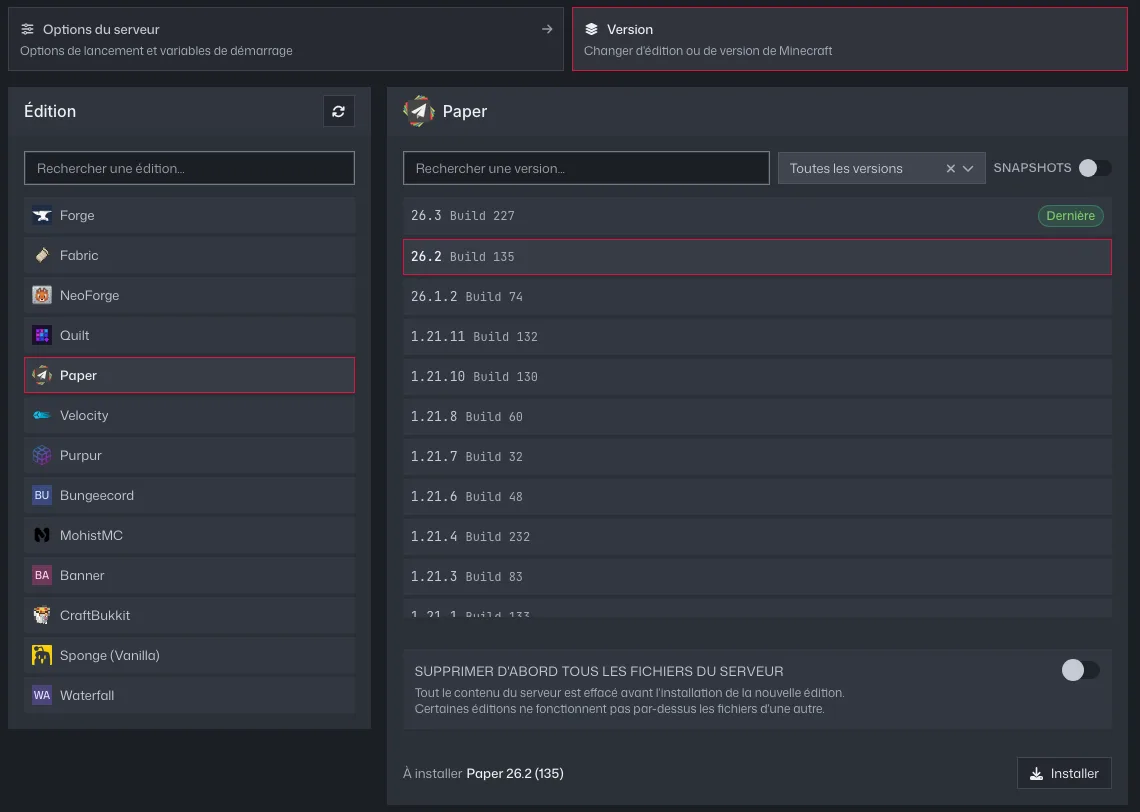
The GamePanel's Version tab: edition on the left, version on the right, Install button Once the install is done, start the server. If you deleted everything, upload the
worldfolder back first.Your players need to use the same version in their launcher. Going back to an older version can damage the world.